Madali Circles vs shared calendars and group chats
The first gathering is not usually the hard part. The hard part is doing it again. Dinner club returns next month. Basketball is back next Thursday. The people are familiar, but the date, details, and headcount can change every time.
Madali Circles, Howbout, TimeTree, WhatsApp, Punchbowl, BAND, and Meetup all help with part of that job. They start from different assumptions about what should persist between gatherings.
How this comparison was made: Kali McCarthy, founder of Kali Artistry and maker of Madali, reviewed current first-party product and help pages on 13 August 2026. Competitor strengths and tradeoffs below link to those official sources.
The short answer
- Choose Madali Circles when one host wants to make the next plan quickly, keep the familiar group, and collect a fresh private RSVP in a browser for each gathering.
- Choose Howbout when friends want a shared social calendar with availability, plans, RSVPs, reminders, and chat in one app.
- Choose TimeTree when a shared calendar is the center and the group is comfortable joining it together.
- Keep using WhatsApp when the existing group chat, event responses, and reminders already solve enough of the problem.
- Choose Punchbowl when a traditional invitation should be created and sent through its paid weekly or monthly recurring-event feature.
- Choose BAND when the group needs a broader operations hub with posts, files, chat, calendars, RSVPs, and reminders.
- Choose Meetup when community discovery, membership, and repeating organizer events are part of the job.
Ask what should persist after the gathering ends
A shared calendar keeps a common schedule. A group chat keeps the conversation. An invitation service keeps the host's guest-management workflow. A community platform keeps membership and discovery.
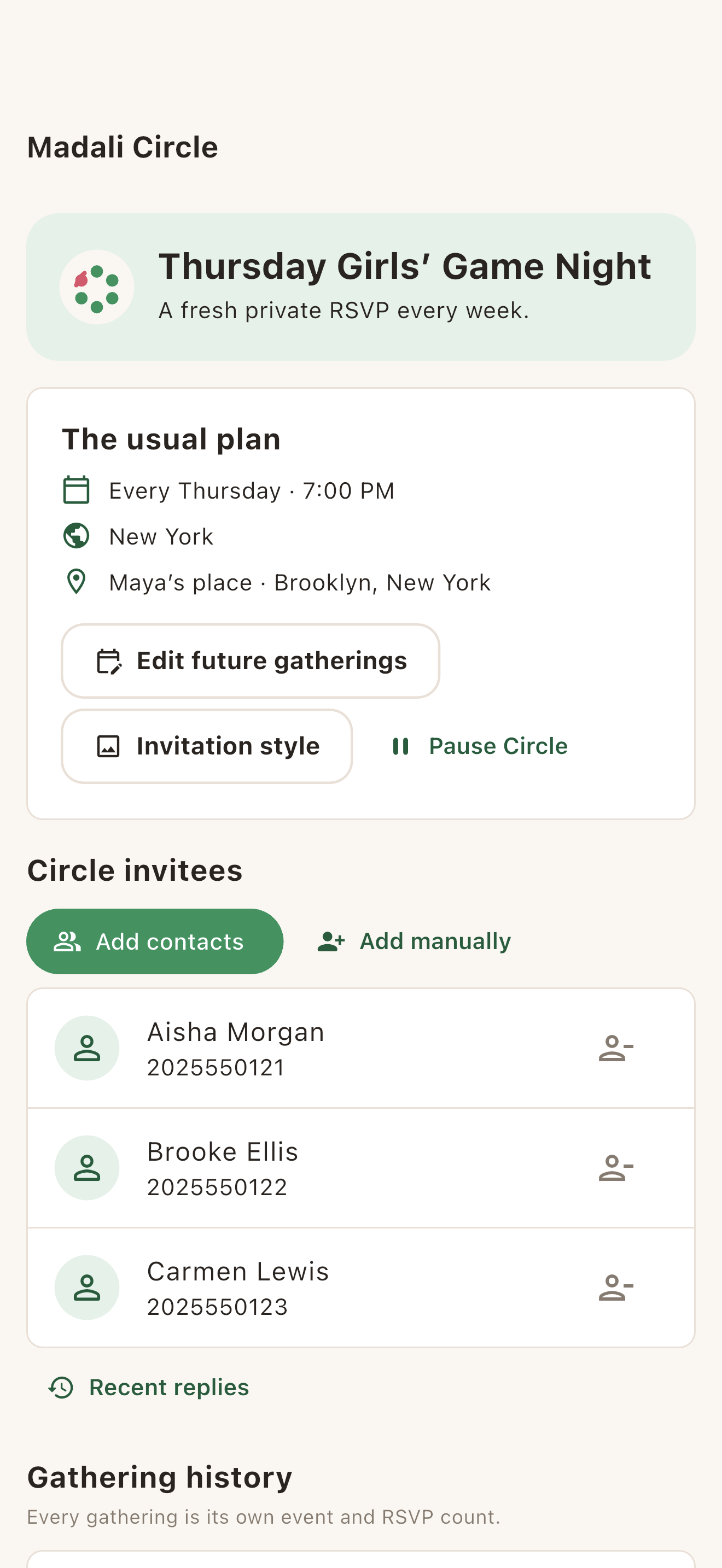
A Madali Circle keeps a familiar group and its usual rhythm, but it does not turn one old RSVP into a standing answer. Each gathering gets its own private invitation, current plan, and response.
Madali Circles start with the next host-led plan
Madali Circles are for people who already know one another and make plans again. A host can use a repeat rhythm or keep a Circle without a fixed schedule. One gathering can be edited, skipped, or canceled without changing the rest.
For every gathering, guests open a private browser invitation and send a fresh RSVP. They do not need the Madali app or a Madali account. The host remains responsible for making the current plan and sharing its links.
That is Madali's chosen workflow: the group persists, but every gathering gets a fresh attendance cycle. Read the full Madali Circles guide, or see the Circles overview.
Howbout starts with a shared social calendar
Howbout describes itself as a shared calendar for friend groups. Its current product page highlights shared availability, group plans, RSVPs, reminders, and chat beside the calendar. Its group tools can add existing Howbout friends or invite new members by link.
Howbout also supports repeating plans with daily, weekly, monthly, and custom rules. Choose it when the group wants to plan together inside one social calendar. Choose Madali when one host wants to set the current plan while guests complete a lighter browser RSVP task.
TimeTree starts with the shared calendar
TimeTree is a shared group calendar first. Its documented join flow starts with downloading TimeTree, opening an invitation, joining the calendar, and selecting a profile.
Its recurrence controls are detailed. TimeTree supports repeat rules and lets a member edit one event, that event and later events, or the whole series. Members can also join or remove themselves from an event.
Choose TimeTree when everyone wants the shared calendar. Choose Madali when the group needs a fresh invitation and attendance answer for each gathering without asking every guest to become a shared-calendar member.
WhatsApp starts with the conversation you already have
A practical strength of WhatsApp is that the people and conversation may already be there. WhatsApp group Events let members create an event, respond, and see who is coming. WhatsApp now also documents custom event reminders.
Stay with WhatsApp when the group chat is enough. Use Madali when the host wants one current plan outside the scroll and a separate private response for each person and gathering.
Punchbowl starts with a fresh invitation for each event
Punchbowl has a clear invitation-first repeat workflow. Its paid recurring-event feature schedules weekly or monthly events, then creates and sends each invitation. Guests can view and reply without creating a Punchbowl account.
Choose Punchbowl when every occurrence should arrive as a traditional digital invitation. Choose Madali when the persistent familiar group and the current plan for each gathering should lead the experience.
BAND starts with a group operations hub
BAND's shared calendar sits inside a broader group product with posts, chat, files, media, and admin tools. Its calendar supports RSVP and reminders, and BAND documents recurring meetings in its group workflows.
That broader scope can be a strength for teams, clubs, schools, and organized communities. Madali is narrower: a familiar private group and a host-led social plan for the next gathering.
Meetup starts with community and discovery
Meetup combines group membership, discovery, event pages, attendee responses, and repeating events. Members can browse and RSVP with a free account. Organizers can schedule weekly, every-two-week, or monthly events, while Meetup's current plan guidance places recurring events in its paid organizer options.
Choose Meetup when finding or managing a community is part of the goal. Choose Madali when the people already know one another and the job is simply to arrange the next private gathering.
Recurrence and browser RSVP are not unique
Madali should not claim that Circles are the only way to repeat a gathering. Howbout, TimeTree, Punchbowl, BAND, and Meetup all document recurrence in some form. Madali also should not claim that a guest browser path is unique. Several invitation products provide one.
The useful distinction is the combination: a quick host-led plan, a guest browser RSVP with no Madali account, and a Circle that keeps familiar people together while giving each gathering its own answer.
The honest decision
- If the group wants a shared social calendar, look at Howbout.
- If it wants a shared group calendar, look at TimeTree.
- If the existing chat and group event are enough, stay with WhatsApp.
- If it wants a traditional invitation sequence, look at Punchbowl.
- If it needs a managed group or discoverable community, look at BAND or Meetup.
- If it wants one host to make the next plan, with a fresh private RSVP for each gathering, look at Madali Circles.
Official sources
Product facts and links were checked against the following first-party pages on 13 August 2026. Features can change, so review the product's current page before deciding.
- Madali: current App Store listing, current Google Play listing, Circles guide, and Circles overview.
- Howbout: groups and shared calendar, adding group members, and recurring events.
- TimeTree: joining a shared calendar, recurring events, and event participation.
- WhatsApp: group Events and event reminders.
- Punchbowl: recurring events and accountless guest RSVP.
- BAND: shared calendar features, RSVP and reminders, and recurring meetings.
- Meetup: repeating events, free member RSVP, and organizer plan limits.
Want the familiar group without a standing RSVP?
See exactly how Madali Circles work, or compare the broader social invitation and RSVP workflow.